





Why Is My Website Not Showing Up on Google? 10 Fixes (2026)

Summarize this article with AI
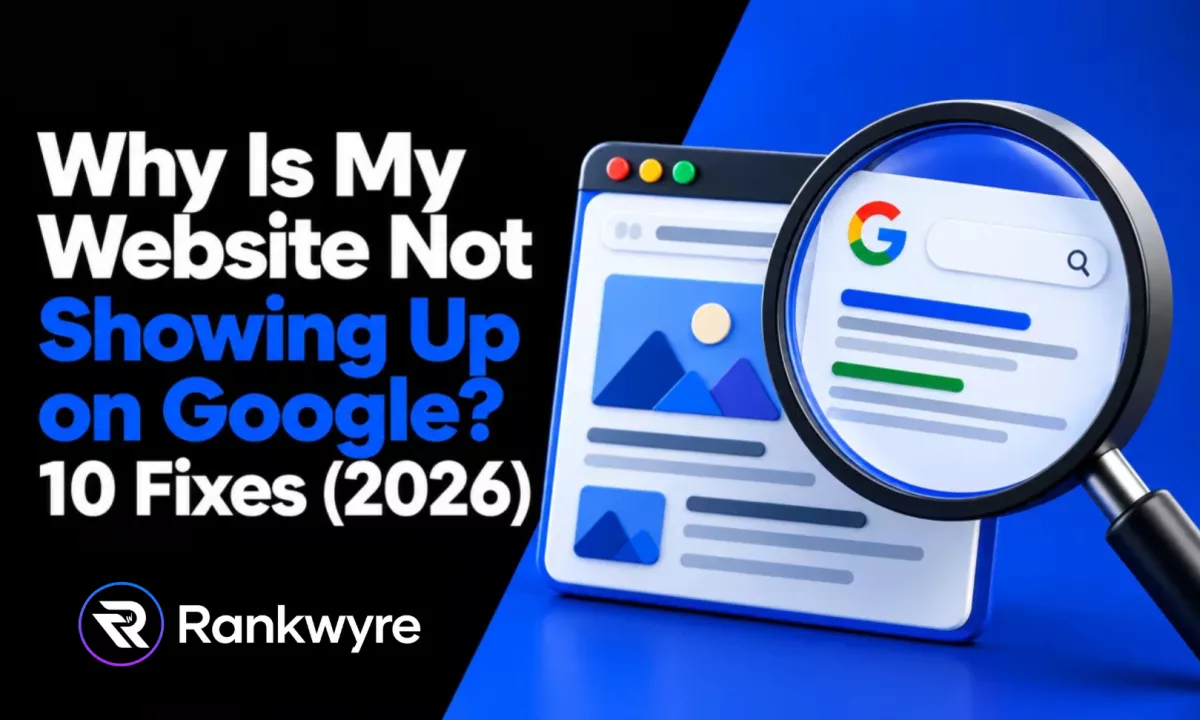
Before you touch anything, run two checks. Search site:yourdomain.com on Google, and put your homepage URL through the URL Inspection tool in Search Console. Together they tell you which of two very different problems you have.
Problem one is that Google has not indexed your site at all, so it cannot show up for anything. Problem two is that Google has indexed it fine, but it is not ranking for the terms you want, which is a competition problem, not a technical one. Fixing problem two like it is problem one wastes weeks.
This guide walks through both checks, then every common cause, sorted by which bucket it belongs in, including the specific settings on Squarespace, Wix, and Shopify. It stays away from Google Business Profile and map pack issues, a separate system with its own fixes; see our Google Business Profile troubleshooting guide for that.
Key Takeaways
- Run the site: operator and the URL Inspection tool first. Google says site: "doesn't necessarily return all the URLs that are indexed," so treat it as a rough signal and confirm with URL Inspection.
- A robots.txt disallow rule blocks crawling, not indexing. Google's own documentation says "a page that's disallowed in robots.txt can still be indexed if linked to from other sites," so robots.txt alone does not explain a page missing from Google entirely.
- A noindex tag left on from development is a frequent cause after launch, because staging sites are set to noindex on purpose, and Google says it can take Googlebot "months" to recrawl a low-authority page and notice the tag was removed.
- Squarespace, Wix, and Shopify each have a platform-specific setting that hides a site from search engines by design (a crawler block, an indexing toggle, and store-wide password protection). Check the exact setting before assuming it is a Google problem.
- A submitted sitemap is a hint, not a requirement. Google's documentation says sitemaps do not "guarantee that Google will download the sitemap or use the sitemap for crawling URLs on the site," so a missing sitemap rarely explains a site that is fully absent.
- If your site moved domains or went through a redesign with new URLs, Google says medium-sized websites can take "a few weeks or more" to fully transfer rankings to new URLs, and only if every old URL 301 redirects to its new equivalent.
- A manual action, applied by a Google reviewer for a policy violation, can remove some or all of a site from search results with no visible warning to visitors. Check the Manual Actions report before anything else if the site was indexed and then vanished.
Run This Test First: site: and URL Inspection
Start with the site: search. Type site:yourdomain.com into Google. If pages come back, your site is indexed, at least in part, and your real problem is ranking, not indexing. If nothing comes back, treat that as a lead, not a verdict. Google's own documentation on the operator says it "doesn't necessarily return all the URLs that are indexed under the prefix specified in the query," and recommends the URL Inspection tool for anything that actually needs to be accurate.
So the next step is Search Console. Open the URL Inspection tool and paste in your homepage, then a couple of your most important pages. Google explains that the tool reports whether a URL is "on Google," "on Google, but has issues," "not on Google," or an alternate version of another page, along with the last crawl date, whether crawling was allowed, and whether a noindex tag is blocking it. Google also notes a limit worth knowing: "URL is on Google doesn't actually guarantee that your page will appear in Search results," since the tool does not check every quality or manual action signal.
Once you know the status of a few pages, check the site-wide view in the Page indexing report inside Search Console. It groups every known URL into indexed and excluded, with a reason for each excluded group (noindex, crawled but not indexed, blocked by robots.txt, and so on). That reason is what tells you which fix below applies.
| What you see | What it means | Where to look next |
|---|---|---|
| site: shows nothing, URL Inspection says "URL is not on Google" | Not indexed | New site, noindex tag, robots.txt, builder privacy setting, no sitemap |
| site: shows old or thin pages, URL Inspection flags "Duplicate" or a different canonical | Indexed, but the wrong page is showing | Duplicate content, canonical issues, thin pages |
| Pages were indexed, then dropped after a launch or domain change | Broken redirects from a site move | Redirect audit |
| Site was indexed and ranking, now shows a warning or nothing at all | Manual action or security issue | Manual Actions and Security Issues reports |
| Pages are indexed and no errors show, but nobody finds you | Indexed but not ranking | Competitive keyword, weak content, no links, wrong intent match |
Not Indexed vs. Indexed but Not Ranking
Once the test above gives you a status, sort the problem into one of two buckets before you do anything else.
Not indexed means Google either has not crawled your site or has crawled it and chosen not to add it to the index. Nothing you publish matters until this is fixed, because an unindexed page cannot appear for any search, no matter how well it is written or optimized.
Indexed but not ranking means Google has your pages and they are eligible to appear, but they are losing the searches you want to other sites. That is a content, authority, and relevance problem, not a technical one, and no technical fix touches it.
The causes below are grouped the same way.
Causes: Your Site Is Not Indexed
The Site Is Brand New
How to tell: URL Inspection shows "URL is not on Google" and the last crawl field is empty. The site has never been submitted anywhere and has few or no links pointing to it.
The fix: Submit your homepage through URL Inspection's "Request indexing" and submit a sitemap in Search Console. This does not guarantee indexing (see the sitemap section below), but it gives Google a starting point instead of waiting to discover the site on its own.
How long: Typically a few days to a couple of weeks for a small new site to get its first pages indexed, though Google gives no fixed timeline.
A noindex Tag Was Left On From the Build
How to tell: URL Inspection shows "Excluded by 'noindex' tag" under indexing status. This is a frequent cause after launch, because staging environments are set to noindex on purpose and the tag sometimes never gets removed once the site goes live.
The fix: View the page source (or use URL Inspection's live test) and look for <meta name="robots" content="noindex"> in the <head>, or an X-Robots-Tag: noindex HTTP header. Remove it, then request indexing again in URL Inspection.
How long: Google's own documentation on noindex says that once the tag is removed, Google still needs to recrawl the page to notice, and "depending on the importance of the page on the internet, it may take months for Googlebot to revisit a page." Requesting indexing through URL Inspection speeds this up but does not guarantee a specific date.
robots.txt Is Blocking Crawling
How to tell: URL Inspection shows "blocked by robots.txt" or a crawl error mentioning the file. Visit yourdomain.com/robots.txt directly and look for a Disallow: / line under a user agent that covers Google (User-agent: * or User-agent: Googlebot).
The fix: Remove the disallow line, or narrow it so it only blocks the folders you actually want hidden (like an admin path). Note that Google's robots.txt documentation makes an important distinction here: robots.txt controls crawling, not indexing. As Google states, "a page that's disallowed in robots.txt can still be indexed if linked to from other sites," just without a proper snippet. So a robots.txt block usually explains a site with no content or description in search results, more often than a site that is fully missing.
How long: Once the file is corrected, Google typically reads the new robots.txt within a day, then needs its normal crawl and index cycle for the pages themselves.

The Site Builder's Privacy Setting Is Hiding It
How to tell: The site looks fine to you, loads normally, and has no obvious noindex tag or robots.txt block, but it is on Squarespace, Wix, or Shopify. These platforms each ship a dedicated setting that hides a site from search engines, separate from anything Google controls, and it is easy to leave on from setup or a redesign.
The fix, by platform:
- Squarespace: Two settings can do this. Site-wide, go to Settings, then Crawlers, and check whether "Block Search engine crawlers" is on. Page-level, open the page's SEO tab and check whether "Hide page from search results" is toggled on. See Squarespace's guide to hiding a site from search results.
- Wix: In the editor, click the more-actions icon next to the page in Pages & Menu and select SEO basics. Check whether "Let search engines index this page" is off. A site-wide version of the same toggle sits under Website & SEO in your dashboard. See Wix's guide to preventing search engines from indexing a page.
- Shopify: Check whether Private mode is on, under Online Store, then Preferences, then Store access. Shopify's help center says this setting will "restrict visitors and search engines from accessing your online store," replacing every page with a password screen, and it commonly stays on after a development store launches. See Shopify's preferences documentation.
How long: The setting itself takes effect immediately. Getting indexed after turning it off follows the same crawl and index timeline as any other newly opened site, days to a few weeks for a small site.
No Sitemap Was Ever Submitted
How to tell: Search Console's Sitemaps report shows nothing submitted, or shows an error reading the file.
The fix: Generate a sitemap (most builders and CMS platforms do this automatically at a predictable URL like /sitemap.xml) and submit it in Search Console under Sitemaps. It is worth being honest about what this does and does not do. Google's own documentation on sitemaps says that submitting one "is merely a hint: it doesn't guarantee that Google will download the sitemap or use the sitemap for crawling URLs on the site." A missing sitemap is rarely the sole reason a whole site is absent from Google, but it is a real gap to close alongside the other fixes here, especially on a larger site where Google might otherwise miss pages that are not well linked internally.
How long: Google usually reads a newly submitted sitemap within a day or two, but crawling and indexing the URLs inside it follows the same timeline as any other page.
Causes: Your Site Is Indexed but Not Ranking
Duplicate Content or Canonical Issues
How to tell: URL Inspection shows "Duplicate, Google chose different canonical than user" or "Duplicate without user-selected canonical." Your site: results show the wrong version of a page, like the non-secure http:// version, a www and non-www pair, or a print or filtered version of a product page, instead of the one you want people to find.
The fix: Google's documentation on canonicalization explains that when several URLs show the same or similar content, Google "clusters them together" and picks the version it judges "most complete and useful for search users" as canonical, using signals like whether a page redirects, whether it is on HTTPS, and whether it appears in your sitemap. You influence that choice with a rel="canonical" tag pointing at the version you want, consistent internal links to that same version, and a 301 redirect from the duplicates. Google is direct that this is "a hint, not a rule," so the fix is to make your preferred signals consistent everywhere, not just on the tag.
How long: A few weeks for Google to recluster the pages and update which version shows, once the signals agree.
Thin Pages With Little Real Content
How to tell: URL Inspection shows "Crawled, currently not indexed," which Google uses for pages it looked at but judged not worth adding. This is common on pages that are mostly a template with the city or product name swapped, or pages with too little real content to be useful on their own.
The fix: Add real, specific content in your own words, with details a template could not produce (your service area, your process, your actual pricing or specs). If a page has nothing more to say, merge it into a stronger page instead of leaving a thin one live.
How long: Once rewritten, expect a normal recrawl cycle, then a few weeks to see whether it moves into the index and starts ranking.
A Manual Action or Security Issue
How to tell: Check the Manual Actions and Security Issues reports in Search Console. A site that was indexed and ranking, then dropped suddenly and completely, is the classic sign of one of these two, more than any of the causes above.
The fix: Google's documentation on manual actions explains that a manual action means a human reviewer at Google determined the site violates its spam policies, and that when one is applied, "some or all of that site will not be shown" in search results, often with no visible sign to visitors. If you see one listed, fix the specific violation named in the report, then file a reconsideration request. Security issues (malware, hacked content) work similarly: clean the site, verify it is safe, and request a review.
How long: Google's guidance is that reconsideration reviews typically take several days to a few weeks, depending on the violation and how clearly it was resolved.
The Site Dropped After a Redesign or Domain Change
How to tell: Rankings and indexed pages were fine, then a new site launched (new URLs, a new domain, or a new platform) and traffic fell off soon after. URL Inspection on the old URLs may show them as indexed still, or show a redirect to a page that does not exist.
The fix: Every old URL needs a 301 redirect to its closest equivalent new URL, not a blanket redirect to the homepage. Google's documentation on site moves recommends "HTTP permanent redirects if possible, such as 301 and 308," and advises keeping redirect chains short since Google will follow at most 10 hops. It also recommends keeping the redirects live for at least a year so the ranking signals fully transfer.
How long: Google states plainly that "for medium-sized websites, it can take a few weeks or more for Google to gradually start showing the new URLs instead of the old ones (and for larger sites, even longer)." Treat a redesign or domain move as a multi-week transition, not an overnight swap.
Simply Not Ranking for Competitive Terms
How to tell: Every check above comes back clean. Pages are indexed, there is no manual action, no duplicate or noindex issue, and content is real. The site just does not appear on the first page or two for the terms you want.
The fix: No technical setting causes this, so no technical setting fixes it. Your pages are not yet relevant and trustworthy enough, by Google's own signals, to outrank the sites already there. That takes better-matched content for the actual search intent, more of the sites that already rank linking to you or mentioning you, and time. If the terms you are chasing are dominated by national brands or well-established local competitors, honestly, ranking for those exact terms may not happen soon. Going after less contested, more specific searches your customers actually use will get you found faster. A free website audit shows where your pages actually stand against the terms you want.
How long: Months, not weeks, for a competitive term, even with everything else correct. This is the honest answer, not the satisfying one.
Common Mistakes
Assuming "not showing up" always means "not indexed." The fix: run the site: search and URL Inspection before doing anything else. Many sites that seem missing are indexed and simply not ranking for that one search.
Fixing the same page over and over without requesting a recrawl. The fix: after removing a noindex tag or fixing a robots.txt block, use URL Inspection's "Request indexing" so Google knows to look again, instead of waiting for its own schedule.
Redirecting every old URL to the new homepage after a redesign. The fix: map each meaningful old URL to its closest new equivalent. A blanket homepage redirect loses the specific relevance signals Google had built up for that page.
Treating a builder's privacy setting as a Google problem. The fix: check the platform's own indexing or password setting first, since Squarespace, Wix, and Shopify can all hide a site by design, independent of anything Google is doing.
Tools
| Tool | Primary use |
|---|---|
| Google Search Console (URL Inspection) | Check a specific page's indexing status and request a recrawl |
| Google Search Console (Page indexing report) | See every known URL grouped by indexed vs. excluded, with a reason |
| Google Search Console (Sitemaps) | Submit and monitor your XML sitemap |
| Google Search Console (Manual Actions and Security Issues) | Check for a Google-applied penalty or a hacked/malware flag |
| site:yourdomain.com search | A fast, rough check of what Google currently has indexed |
FAQs
Run site:yourdomain.com and check your homepage in Google Search Console's URL Inspection tool. If nothing is indexed, look for a leftover noindex tag, a robots.txt block, or a site builder's own privacy setting. If pages are indexed but you still cannot find them for a specific search, the site is not missing, it just is not ranking for that term yet.
Check two Squarespace settings before anything else: Settings, then Crawlers, for a site-wide "Block Search engine crawlers" toggle, and the SEO tab on the specific page for "Hide page from search results." Either one hides content from Google on purpose, independent of anything else on the page.
Check whether Private mode is on, under Online Store, then Preferences, in your Shopify admin. Shopify's own documentation says this setting restricts both visitors and search engines from reaching your store, replacing every page with a password screen. Many stores stay in this mode after launch by accident.
Check the page's SEO basics panel (click the more-actions icon next to the page in Pages & Menu) for the "Let search engines index this page" toggle, and the site-wide SEO settings in your dashboard for the same option at the whole-site level. Either one can keep Wix pages out of Google entirely.
A sudden disappearance after the site was previously indexed points at a manual action, a security issue (hacked content or malware), or broken redirects from a recent redesign or domain change. Check the Manual Actions and Security Issues reports in Search Console first, since those explain a fast, complete drop better than any of the slower causes.
Google gives no fixed number. A small new site with a submitted sitemap and a request through URL Inspection often sees its first pages indexed within a few days to a couple of weeks, but this varies by site and Google does not guarantee a timeline.
No. Google's own documentation says a submitted sitemap "doesn't guarantee that Google will download the sitemap or use the sitemap for crawling URLs on the site." It is a helpful hint, not a requirement, and it will not fix a noindex tag, a robots.txt block, or a manual action.
Conclusion
Start with the test, not the fix. The site: search and URL Inspection tool tell you within minutes whether your site is not indexed at all or indexed and simply not ranking, and every cause above sits clearly in one bucket or the other. Work through the matching section, and check the platform-specific settings first if you are on Squarespace, Wix, or Shopify, since those hide sites by design more often than any Google penalty does.
If the checks turn up more than a quick fix, that is a broader SEO problem worth a real look. Rankwyre is a digital technology company based in Miami, Florida. It builds custom websites, ecommerce stores, web apps, CRM systems, and dashboards, then runs the SEO and ads that bring in customers. Run a free website audit to see where your site stands, or see our SEO service and redesign service if the site itself needs work. Ready to fix it? Get started with Rankwyre.
About the author:
Rankwyre Team
Digital technology company, Miami, Florida
Rankwyre is a digital technology company based in Miami, Florida. It builds custom websites, ecommerce stores, web apps, CRM systems, and dashboards, then runs the SEO and ads that bring in customers.