




How to Get Your Business to Show Up in ChatGPT (2026 Guide)

Summarize this article with AI
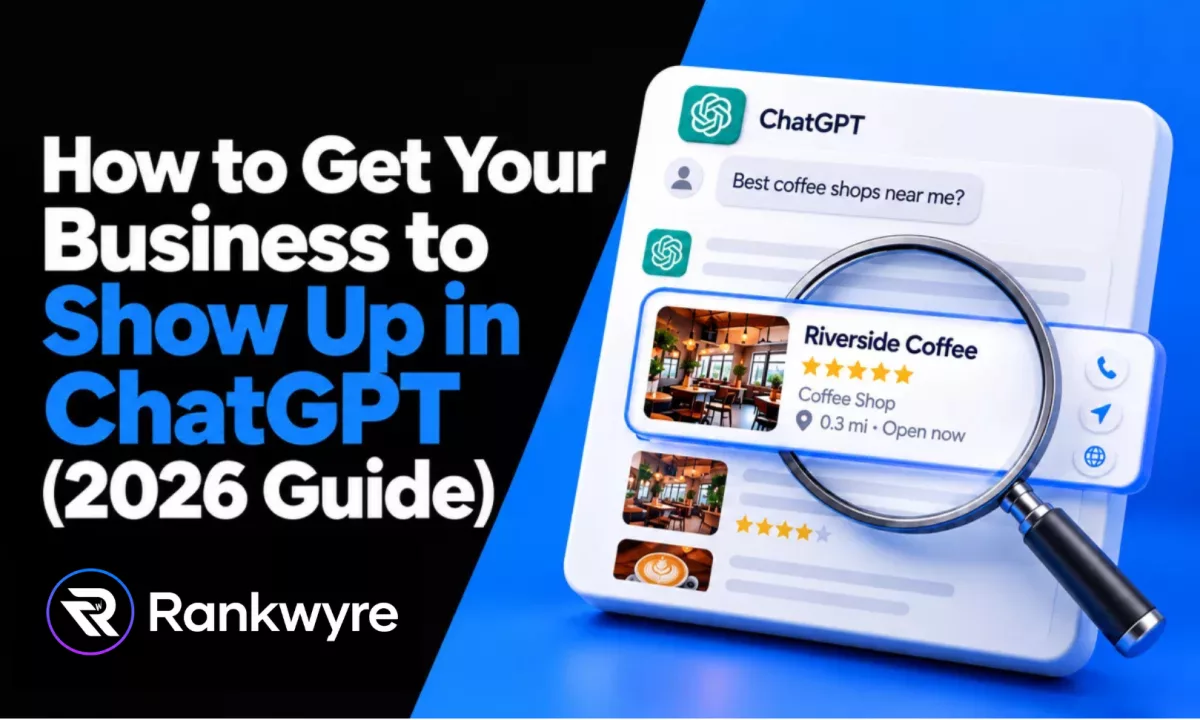
45 percent of consumers now use ChatGPT and other generative AI tools for local business recommendations, according to BrightLocal's 2026 Local Consumer Review Survey, up from 6 percent the year before. That is a real shift in where people look before they call a plumber, book a dentist, or pick a restaurant.
There is no dashboard where you submit your business to ChatGPT. There is no way to pay for a mention inside ChatGPT's answers (ads run separately and are labeled), no directory listing, and no button that guarantees you show up when someone asks for "a good electrician near me." What there is, is a documented way ChatGPT finds information on the web, and a set of things you control that make it more likely your business gets found and mentioned correctly.
This guide covers how ChatGPT search actually works, based on OpenAI's own developer and help pages, not guesswork. Then it walks through the steps that follow from those facts: letting the right crawler in, making your business facts consistent everywhere, earning reviews and mentions, building pages that answer real questions, adding schema markup, and testing your own visibility the same way a customer would.
Key Takeaways
- 45 percent of consumers use ChatGPT and similar AI tools for local business recommendations, per BrightLocal's 2026 survey, versus 6 percent a year earlier.
- ChatGPT search is powered by OAI-SearchBot, a separate crawler from GPTBot (which trains OpenAI's models). Blocking one does not affect the other.
- There is no submission form and no guaranteed placement. The only lever you control is whether your site is crawlable and whether your facts are consistent and citable.
- Robots.txt changes to OAI-SearchBot take about 24 hours to take effect, per OpenAI's own documentation.
- The most reliable way to check your own visibility is to ask ChatGPT the exact questions your customers ask, from a fresh chat, and log what comes back.
How ChatGPT Actually Finds Businesses
ChatGPT finds businesses through its search feature, which sends your question out as one or more live web queries and builds an answer from what comes back, with inline citations you can click. OpenAI describes this directly: when you ask a question, "ChatGPT can turn the request into one or more search queries, retrieve relevant results, and use those results to generate an answer with links to sources," and it "sometimes partners with other search providers" to do it, per OpenAI's help article on ChatGPT search.
That live search runs alongside three separate crawlers, and mixing them up is an easy mistake. Per OpenAI's own crawler documentation:
- OAI-SearchBot is "used to surface websites in search results in ChatGPT's search features." This is the one that matters for showing up when someone asks ChatGPT a question. Blocking it in robots.txt removes you from ChatGPT search results, and the change takes about 24 hours to take effect.
- GPTBot is "used to crawl content that may be used in training our generative AI foundation models." This is a separate system. Blocking GPTBot stops your content from training future models, but it does nothing to your visibility in ChatGPT search, because that runs on OAI-SearchBot.
- ChatGPT-User fires when a person actively asks ChatGPT to open a specific page or use a connected tool. OpenAI notes that "robots.txt rules may not apply" here, because it is a user-initiated fetch, not automated crawling.
The practical result: your site being open to ChatGPT search depends on OAI-SearchBot specifically, not on your general "AI crawler" settings, and not on whether you have opted in or out of AI training. Those are two different questions with two different bots.
Step 1: Allow OAI-SearchBot in Robots.txt
Open your site's robots.txt file (yourdomain.com/robots.txt) and check for any rule that disallows OAI-SearchBot. Some site builders and security plugins block all bots by default, or block anything with "AI" or "bot" in the name, which catches OAI-SearchBot without anyone meaning to.
To confirm OAI-SearchBot can reach your site:
- Look for a line like User-agent: OAI-SearchBot followed by Disallow: /. Remove it, or narrow it to specific paths you actually want hidden (a staging folder, an internal admin page).
- If your robots.txt has no mention of OAI-SearchBot at all, that is fine. A crawler is allowed by default unless a rule blocks it.
- Give it about a day after any change. OpenAI's documentation states robots.txt updates for OAI-SearchBot take roughly 24 hours to take effect, so do not judge the change the same afternoon.
- Leave GPTBot's setting as its own decision. You can allow OAI-SearchBot for search visibility while still disallowing GPTBot if you do not want your content used for model training. They do not have to match.
If you use a CMS with a firewall or bot-management layer in front of it (a security plugin, a CDN's bot rules), check that layer too. Robots.txt is a request, not a lock. A firewall that actively blocks the crawler's requests will keep you out of ChatGPT search even with a clean robots.txt file.
Step 2: Claim Your Listing on Bing Too
OpenAI says ChatGPT search "sometimes partners with other search providers" to build its answers. It does not name which ones, but Bing already sits behind Microsoft's own Copilot and Bing Chat, so it is worth covering that base while you are doing this work anyway.
Two free Microsoft tools handle it:
- Bing Places for Business. Claim your listing the same way you claim a Google Business Profile. Microsoft's own page for it says to "claim your business listing on Bing Places for Business, reach millions more unique customers, and get instant data-backed insights and analytics."
- Bing Webmaster Tools. Verify your site and submit your sitemap here, not only in Google Search Console. Microsoft describes it as a way to "get your site's performance data, take advantage of free SEO tools and analyse insights to improve your page rankings on Bing search results."
Neither tool guarantees a ChatGPT mention. Both are free and take the same setup work as the Google steps above, so there is no real reason to skip them.
Step 3: Make Your Facts Consistent Everywhere
Once OAI-SearchBot can reach your site, it needs pages that state your facts plainly and consistently: your name, address, phone number, services, hours, and prices where you list them. This works the same way it does for regular search. When your website, your Google Business Profile, your Facebook page, and any directory listings agree on the same details, an AI system that pulls from several of those sources gets one clear answer instead of three conflicting ones.
Check these for agreement across every place your business appears online:
- Business name. The exact same spelling and punctuation everywhere, not "Smith Plumbing LLC" in one place and "Smith Plumbing Co." in another.
- Address. Same suite number, same abbreviation style (St vs Street) on your site, your Google Business Profile, and any directories you appear in.
- Phone number. One number as the primary contact, listed the same way (with or without a dash) across your site and every listing.
- Hours. Including holiday and seasonal hours if they differ. A source that says you are open when you are not is worse than no source at all.
- Services. Named plainly on your own pages, not only implied by photos or a logo. If you do emergency roof repair as well as full replacements, say so on a page, in words.
Your own website is the source you control fully, so it should be the most complete and current one. If you need a rebuild that puts these facts on clear, crawlable pages instead of buried in a PDF or a slider image, see how Rankwyre approaches AI search visibility as part of a site build.
Step 4: Build Reviews and Third-Party Mentions
It is worth building reviews and mentions beyond your own website. Reviews on Google, industry-specific directories, and local news or association mentions give an AI system more than your own word that your business exists, does the work it claims, and is currently operating.
A few things that move this forward without gaming anything:
- Ask every satisfied customer for a review on your Google Business Profile, and reply to reviews so the profile shows an active, current business.
- Get listed accurately on the directories that matter in your trade (a state licensing board, an industry association, a local chamber). It is worth being listed on the sources buyers in your trade already check.
- Fix or claim any old, abandoned, or duplicate listings with wrong hours or a disconnected phone number. A stale listing is a source that can pull a wrong answer into a summary.
This is also where your Google Business Profile does double duty. A complete, accurate, and active profile helps you in Google's map pack and gives any AI system that references Google data one more consistent, current source. See our Google Business Profile and local maps service if your profile has not been touched in a while.
Step 5: Build Pages That Answer the Exact Questions People Ask
When ChatGPT search retrieves results for a question, it favors pages that answer that specific question clearly, the same way a person skimming would. A homepage that only says "quality service since 1998" does not answer "does this plumber do same-day emergency calls" or "how much does a website redesign cost." A page that states the answer in plain language does.
Build (or fix) pages for the real questions your customers ask before they call:
- What do you actually do, listed as services, not just described in marketing language.
- What does it typically involve (a process, a timeline, what is included), stated in your own words.
- What areas or types of customers you serve.
- What makes a visit or project different from a competitor's, stated as a fact (a warranty, a certification, a guarantee), not a slogan.
Write the answer in the first sentence under a clear heading, then explain. That is easier for a search system to lift cleanly, and it is easier for a rushed human reader too. If your current site buries this information in images or PDFs, run it through Rankwyre's free website audit to see what is and is not readable as text.
Step 6: Add Schema.org LocalBusiness Markup
Schema markup is a structured, machine-readable version of the same facts on your page: your name, address, phone number, hours, and category, written in a format search and AI systems can parse without guessing. The schema.org LocalBusiness type is built for exactly this, and more specific subtypes exist for many trades (a restaurant, a dentist, a plumber).
Adding LocalBusiness schema will not by itself get you cited in ChatGPT. What it does is remove ambiguity. Instead of a system inferring your hours from a sentence buried in your footer, the hours are in a structured field labeled "openingHours." Combined with consistent facts across the web and pages that answer real questions, it removes one more place for an AI system to guess wrong.
Step 7: Test Your Own ChatGPT Visibility
The only real way to know where you stand is to ask ChatGPT the questions your customers actually ask, the way they would ask them, and write down what comes back.
A simple routine that takes fifteen minutes:
- Start a brand-new chat each time (not a continued conversation), so earlier context does not skew the answer.
- Ask the real questions: "best plumber in [your city]," "who does emergency roof repair near [your city]," "[your service] cost in [your city]."
- Note whether your business appears, what is said about it, which sources are cited (click "Sources" on the answer), and whether the facts stated (hours, services, area) are correct.
- Repeat monthly, and keep a simple log (a spreadsheet row per question, per month) so you can see whether things are improving, staying flat, or getting worse after a change.
- Try the same questions with location turned on and off if you can, since ChatGPT search can use general location to shape local answers.
Treat a wrong or missing answer as a lead, not a failure. If ChatGPT states the wrong hours, that usually traces back to a listing you can go fix. If a competitor is cited and you are not, check what their site states in plain text that yours does not.
Common Mistakes
- Blocking every bot with "bot" or "AI" in the name. Security plugins and some hosting defaults do this. The fix: check robots.txt specifically for OAI-SearchBot and allow it, even if you keep other AI bots blocked.
- Confusing training opt-out with search visibility. Disallowing GPTBot (training) does nothing to your presence in ChatGPT search, which runs on OAI-SearchBot. The fix: treat them as two separate settings and decide each on its own.
- Letting listings drift out of sync. An old Yelp listing with the previous owner's hours, or a directory entry with a disconnected number. The fix: search your business name every few months and correct what you find.
- Writing marketing copy instead of answers. A hero section that says "excellence in every job" answers nothing. The fix: rewrite the page to state the actual answer (what you do, where, for how much) in the first sentence.
- Expecting a guarantee. Nobody, including Rankwyre, can promise a specific placement or mention in ChatGPT. The fix: focus on the things that are within your control (crawlability, consistency, real content) and test regularly instead of chasing a promise nobody can make.
Tools for Checking and Improving Your ChatGPT Visibility
| Tool | Primary use |
|---|---|
| ChatGPT (fresh chat, logged out or logged in) | Ask your customers' real questions and record what it says about you |
| Your site's robots.txt file | Check for rules that block OAI-SearchBot or GPTBot |
| Google Search Console | Confirm your pages are indexable and see which questions already bring people to your site |
| Google Business Profile | Keep hours, services, and reviews current on the listing most other sources draw from |
| Bing Places for Business | Claim and manage your business listing on Bing |
| Bing Webmaster Tools | Verify your site and check how it is indexed on Bing |
| Schema.org validator (any JSON-LD testing tool) | Confirm your LocalBusiness markup is written correctly |
| A spreadsheet | Log the questions you test, the date, and what ChatGPT answered, so you can track change over time |
FAQs
Make sure OAI-SearchBot can crawl your site, keep your name, address, phone number, hours, and services consistent across your website and every listing, build pages that answer the exact questions customers ask, add LocalBusiness schema, and earn real reviews and mentions elsewhere online. Then test the result yourself by asking ChatGPT those questions from a fresh chat.
No. OpenAI's documentation describes crawlers (OAI-SearchBot, GPTBot, ChatGPT-User) and a live search feature, not a submission form or directory. The only lever available is whether your site is crawlable and whether the facts about your business are accurate and consistent wherever they appear.
It depends which bot. Blocking OAI-SearchBot removes you from ChatGPT search results specifically. Blocking GPTBot only opts your content out of AI model training and does not affect whether you show up in ChatGPT search. Check your robots.txt for both and decide each one on purpose rather than by accident.
The same fundamentals that help you rank locally in Google also help here: a crawlable, accurate website, a well-maintained Google Business Profile, consistent facts across listings, and real reviews. Add LocalBusiness schema and content that directly answers what customers ask, since a system pulling a quick answer favors a source that states the answer plainly.
OpenAI's own documentation describes a separate crawler, OAI-AdsBot, used to validate pages submitted as ChatGPT ads. That is a distinct, paid product from organic search visibility, and this guide covers the organic side. There is still no guarantee attached to either one.
There is no fixed timeline OpenAI publishes for search visibility. What is documented is that robots.txt changes for OAI-SearchBot take about 24 hours to take effect. After that, visibility depends on ongoing factors (your content, your reviews, what other sources say), which is why testing monthly matters more than checking once.
Conclusion
Nobody can guarantee your business shows up in a ChatGPT answer, and anyone who says otherwise is not reading the same documentation OpenAI publishes. What you can do is remove the reasons it would not: let OAI-SearchBot in, keep your facts consistent everywhere they appear, earn real reviews and mentions, build pages that answer real questions, add LocalBusiness schema, and check your own results the way a customer would.
If your current site is not built to do any of that cleanly, that is worth fixing before anything else on this list. Get started with Rankwyre and we will look at what is holding your site back.
About the author:
Rankwyre Team
Digital technology company, Miami, Florida
Rankwyre is a digital technology company based in Miami, Florida. It builds custom websites, ecommerce stores, web apps, CRM systems, and dashboards, then runs the SEO and ads that bring in customers.