






Jobber vs Housecall Pro (2026): Pricing, Features, Who Wins

Summarize this article with AI
Jobber and Housecall Pro both run scheduling, quoting, invoicing, and payments for home service businesses, and both now price multi-user plans in team-size brackets instead of a flat per-seat rate on every tier. This guide pulls every number straight from each vendor's own pricing and features pages, checked live today, and corrects two claims that older comparisons (including an earlier draft of this one) got backwards: which vendor gates route optimization, and which one treats financing as a selling point.
Rankwyre is a digital technology company based in Miami, Florida, and does not sell field service software. What follows is what each vendor publishes, side by side, plus where a custom system beats both.
This covers pricing and seat math, the features that matter day to day (routing, financing, quoting, payments, reporting, and integrations), who each tool fits, where ServiceTitan fits for bigger shops, and when neither off-the-shelf option is the right call.
Key Takeaways
- Jobber's cheapest plan, Core, is $49 a month billed monthly or $21 a month billed annually for one user, as of September 30, 2026 on getjobber.com/pricing. That annual rate is a limited-time promotion (Jobber's page lists it as ending today) that renews at $29 a month after the first 12 months.
- Housecall Pro's cheapest plan, Basic, is $79 a month billed monthly or $59 a month billed annually for one user, as of September 2026 on housecallpro.com/pricing.
- For a 2 to 5 person crew, both vendors bundle up to 5 seats into one price instead of charging per user: Jobber's Connect runs $199 a month monthly (or $105 a month for the first year billed annually), and Housecall Pro's Essentials runs $299 a month, both covering up to 5 users.
- Jobber does not publish a flat per-seat add-on price anywhere on its pricing page. Housecall Pro does: $100 a month per user beyond the 5 included on Essentials, and $75 a month per user beyond the 8 included on Max.
- Financing is not a real difference between the two. Jobber offers Wisetack-powered consumer financing on quotes with no plan restriction listed, and Housecall Pro lists "access to business and consumer financing" as included in every plan.
- Routing is a real difference, and it favors Jobber. Jobber's own plan comparison table checks off Routing and GPS tracking for Connect, Grow, and Plus (every paid plan except Core). Housecall Pro's plan pages list route optimization only under Max, its top tier.
- Both vendors publish their own head-to-head comparison page naming the other (Jobber's at /comparison/jobber-vs-housecall-pro/, Housecall Pro's at /housecall-pro-vs-jobber/), so treat either one as marketing, not a neutral source.
- ServiceTitan publishes no dollar figure on any of its three tiers. Starter, Essentials, and The Works all end in a "Request Pricing" button, and the site describes per-technician pricing without stating the rate.
Quick Verdict by Business Type
If you want the short answer before the tables: pick based on team size and whether route optimization matters to your daily dispatch, not brand name.
- Solo operator (plumbing, cleaning, lawn care): Jobber Core is the cheaper single-user entry point at $21 a month annually for the first year (Housecall Pro Basic is $59), and Core already includes a website and online booking. Neither Core nor Basic includes route optimization.
- 2 to 5 person crew: Jobber's Connect at $199 a month monthly (or $105 a month for year one, billed annually) already includes routing and GPS tracking for all 5 seats. Housecall Pro's Essentials at $299 a month covers the same headcount but does not include route optimization at that tier, only at Max.
- Companies that lean on financing at the point of sale: This is not a deciding factor. Jobber offers Wisetack consumer financing on quotes and Housecall Pro includes business and consumer financing in every plan, Basic through Max.
- Companies where dispatch routing drives real fuel and time savings: Jobber wins on availability. Route optimization is on 3 of Jobber's 4 plans (Connect, Grow, Plus) versus 1 of Housecall Pro's 3 plans (Max only, and Max's button reads "Book Demo" rather than a self-serve signup).
- Multi-location or franchise operations: Both vendors push you to a sales call. Jobber routes teams of 16 or more to "Contact Sales" with no published price. Housecall Pro's Max plan, its largest published tier, already requires booking a demo instead of a self-serve trial.
- Larger shops running 10+ trucks with complex payroll and commissions: Neither Jobber nor Housecall Pro publishes pricing built for that scale. ServiceTitan targets this segment, and its pricing page requires a quote for every tier.
Pricing Table (as of September 30, 2026)
Every figure below comes from Jobber's pricing page and Housecall Pro's pricing page, checked today. Prices change and Jobber is mid-promotion, so verify on the vendor's page before you buy.
| Plan | Monthly (billed monthly) | Monthly (billed annually, year 1) | Users included |
|---|---|---|---|
| Jobber Core | $49 | $21 (then $29/mo) | 1 |
| Jobber Connect (1 user) | $139 | $70 (then $99/mo) | 1 |
| Jobber Connect (team) | $199 | $105 (then $149/mo) | up to 5 |
| Jobber Grow (1 user) | $199 | $105 (then $149/mo) | 1 |
| Jobber Grow (team) | $299 | $161 (then $229/mo) | up to 5 |
| Jobber Plus (team) | $499 | $280 (then $399/mo) | up to 5 |
| Jobber (16+ users) | Contact Sales, no published price | Custom | |
| Housecall Pro Basic | $79 | $59 | 1 |
| Housecall Pro Essentials (team) | $299 | no published annual rate | 5 ($100/mo per additional user) |
| Housecall Pro Max (team) | $649 | no published annual rate | 8 ($75/mo per additional user) |
Two things stand out. First, neither vendor charges a flat per-seat fee for a small crew: both bundle up to 5 users into one bracket price, so a 2-person and a 5-person crew pay the same amount at that tier. Second, Jobber publishes a specific bracket price for every team size up to 15 users (its site steps through "Just me," "2-5 people," "6-10 people," and "11-15 people," each with its own price for Connect, Grow, and Plus), while Housecall Pro publishes a per-seat overage fee instead once you pass the bundled headcount. Run your own numbers on both calculators, since a promo, a discount window, or an industry-specific quiz answer can change the number you're shown.
Seat Math for a 3-Person Crew
Neither vendor charges extra for a third user, because both bundle up to 5 seats into their team-size tier. Here is what a 3-person crew actually pays today:
- Jobber: Selecting "2-5 people" on getjobber.com/pricing shows Connect at $199 a month billed monthly, or $105 a month for the first 12 months billed annually (then $149 a month). All 3 users are covered at that single price. Adding a 4th or 5th user costs nothing more; a 6th user moves you to the "6-10 people" bracket at a new base price.
- Housecall Pro: Essentials is $299 a month and includes 5 users, so 3 users also cost the flat $299 with no per-seat charge. A 6th user would add $100 a month, since Housecall Pro's overage fee applies per seat past the included 5.
The practical difference is not the 3-person price, which is close either way. It's what happens above 5 users, and whether route optimization is already included at the price you're paying, which favors Jobber's Connect tier over Housecall Pro's Essentials tier for a small crew that dispatches multiple trucks a day.
Feature Table
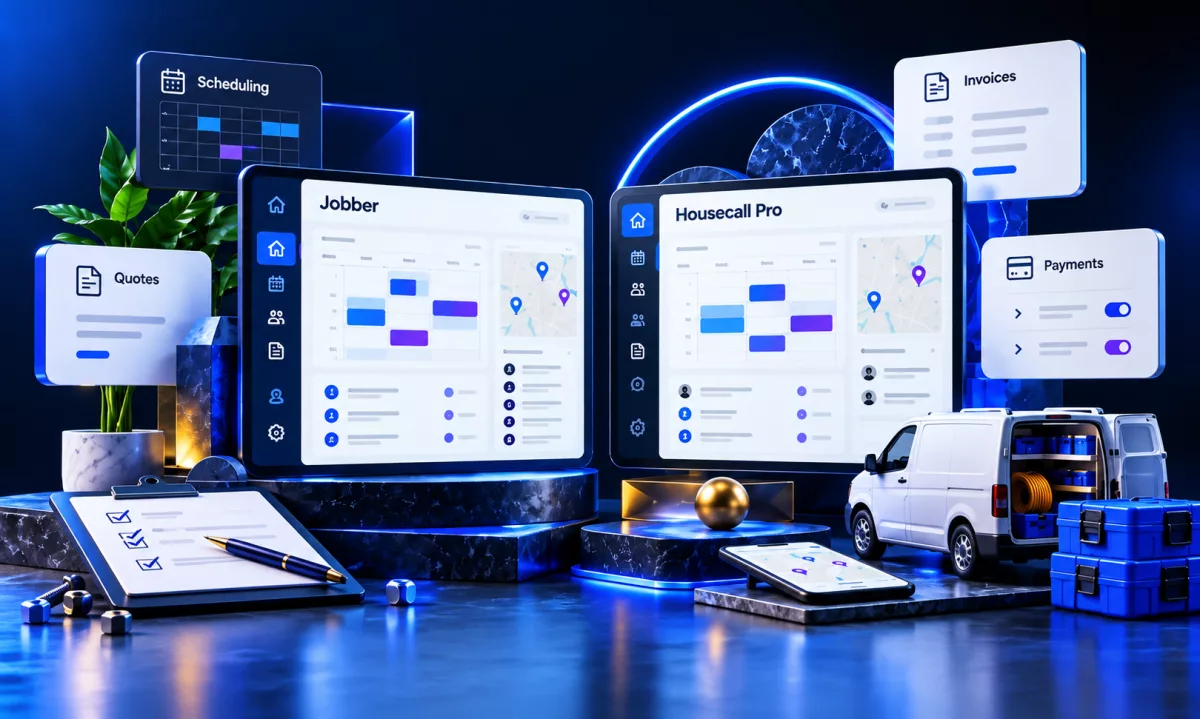
Both vendors publish detailed feature and plan-comparison pages. Here is what each says today about the categories that matter most to a service business, pulled from Jobber's features page, Jobber's plan comparison table on its pricing page, and Housecall Pro's pricing page.
| Category | Jobber | Housecall Pro |
|---|---|---|
| Scheduling and dispatch | Calendar-based scheduling with work order tracking and team assignment, on every plan | Scheduling and dispatching that assigns a technician to a job, on every plan including Basic |
| Route optimization | "Automatically generate the fastest, most fuel-efficient route," checked off for Connect, Grow, and Plus. Not included on Core. | Listed only under Max ("Everything in Essentials, plus: ... Route optimization"). Not listed for Basic or Essentials. |
| GPS tracking | Assigns new work to the closest team member by GPS location, checked off for Connect, Grow, and Plus | Not listed as a separate line item on the current plan pages |
| Consumer financing | Consumer financing on quotes, powered by Wisetack, costs the business 3.9% per transaction with 0% to 60-month terms available to the customer. Not gated by plan in Jobber's comparison table. | "Access to business and consumer financing" is listed under features included in every Housecall Pro plan, Basic through Max |
| Quotes and invoicing | Professional quotes and instant invoice generation, on every plan; automated follow-ups start at Connect | Estimates that convert directly into invoices, on every plan |
| QuickBooks Online sync | Included starting at the Connect tier | Included starting at the Essentials tier |
| Reviews and marketing | A reviews tool plus email campaigns and a referral program | Automated review requests plus automated marketing emails for repeat business |
| Reporting | A business dashboard and financial management view, on every plan | Personalized dashboards with custom reports on revenue, profit, and job count |
Jobber's own comparison page (a marketing page, not a neutral source) claims Jobber includes "built-in route optimization that generates fuel-efficient routes automatically" while Housecall Pro "requires a third-party integration for routing." Jobber's plan comparison table backs part of that up: routing and GPS tracking are checked for Connect, Grow, and Plus. Housecall Pro's own plan pages, checked the same day, confirm route optimization sits behind Max alone, so a crew on Housecall Pro's cheaper Essentials plan does not get it either way.
Who Jobber Fits
Jobber fits a solo operator or small crew that wants the lowest single-user entry price and route optimization available well before the top tier. Core starts at $21 a month annually for the first year and already includes a website, online booking, and quoting. Move up to Connect, at $70 a month annually for one user or $105 a month for a 2 to 5 person team, and you also get routing, GPS-based work assignment, automated reminders, and QuickBooks Online sync.
It also fits businesses planning to grow into automation without switching platforms. Jobber's Grow and Plus tiers add job costing, two-way SMS, and custom workflow automations as you add users, and every tier up through 15 users has a published bracket price on getjobber.com/pricing.
Who Housecall Pro Fits
Housecall Pro fits a team that wants a broad feature set from Basic on up, including consumer financing at every tier, without needing route optimization specifically. Basic already includes online booking, scheduling and dispatch, estimates and invoicing, financing, and a KPI dashboard for $59 a month annually, all for one user.
It also fits a growing team that will eventually want Pipeline, membership plans, or route optimization, since those sit in Housecall Pro's roadmap toward Max. The tradeoff is that Max, the only tier with routing, moves you from a self-serve $299-a-month Essentials plan to a $649-a-month plan whose signup button reads "Book Demo" rather than "Start Free Trial."
Jobber vs Housecall Pro for HVAC
For HVAC specifically, the deciding feature is usually routing, not financing, because HVAC crews run multiple trucks with tighter arrival windows than a single lawn care visit. On routing, Jobber is ahead today: Connect, its second-cheapest tier, already includes route optimization and GPS-based work assignment. Housecall Pro reserves the same capability for Max, its most expensive published tier.
Financing does not separate the two for HVAC either. Jobber's Wisetack-powered financing and Housecall Pro's built-in financing are both available without a stated plan restriction, so an HVAC company quoting a $12,000 system replacement gets financing on either platform at a comparable entry price. Job costing, which HVAC companies use to track true margin per install, is on Jobber starting at Grow and on Housecall Pro starting at Essentials.
Neither vendor publishes an HVAC-specific plan or price. Both companies also publish their own comparison page aimed at HVAC and other trades, and each naturally favors itself, so treat any vendor-authored comparison as marketing and check the live pricing and feature pages yourself.
Where ServiceTitan Fits
ServiceTitan targets larger shops rather than the solo operator or small crew that Jobber's and Housecall Pro's entry tiers serve. Its pricing page lists three tiers, Starter, Essentials, and The Works, moving from dispatching and a pricebook up to configurable payroll, advanced reporting, and commission tracking. Every tier's call to action is "Request Pricing," and the page states the model is per-technician without listing a rate. As of September 2026, ServiceTitan's pricing page publishes no dollar figure anywhere on it.
That makes ServiceTitan a fit for companies running enough trucks and technicians that per-technician custom pricing and a sales conversation make sense, and a poor fit for anyone trying to compare a number against Jobber's or Housecall Pro's published plans, because there is no public number to compare.
When a Custom CRM or Dashboard Makes More Sense
Off-the-shelf field service software makes sense for most trades businesses, and this post is not an argument against Jobber or Housecall Pro. Both cover scheduling, quoting, invoicing, and payments well, and neither requires custom development to get running.
A custom CRM or dashboard is worth the cost in a narrower set of cases: your workflow does not match how any packaged tool models a job (multi-crew commercial work, equipment rental tied to jobs, or dispatch logic neither vendor supports), you need one system that also runs your website, online booking, and back-office reporting together instead of stitching several tools with Zapier, or you have outgrown per-seat SaaS pricing at a headcount where a fixed-cost system pays for itself. If none of those apply to you, a packaged tool like Jobber or Housecall Pro is almost always the faster and cheaper path.
Rankwyre is a digital technology company based in Miami, Florida. It builds custom websites, ecommerce stores, web apps, CRM systems, and dashboards, then runs the SEO and ads that bring in customers. If you run a plumbing company or another trades business and your booking, dispatch, or reporting needs have outgrown a packaged tool, our web app development team builds systems around how your business actually runs instead of forcing your workflow into someone else's plan tiers.
FAQs
For a single user, Jobber Core is cheaper at $21 a month billed annually versus Housecall Pro Basic at $59 a month annually, as of September 30, 2026. For a 2 to 5 person crew, Jobber's Connect at $105 a month annually (year one) and Housecall Pro's Essentials at $299 a month both bundle up to 5 seats into one price, so compare what each tier includes rather than just the sticker price.
Jobber fits better if route optimization matters to your daily dispatch, since it's included on Connect, Grow, and Plus, while Housecall Pro reserves route optimization for its top Max plan. Financing is available on both platforms at every tier, so it isn't a deciding factor. Neither vendor publishes an HVAC-specific plan.
Jobber has the lower single-user entry price, includes route optimization starting at its second-cheapest tier, and publishes a specific price for every team size up to 15 users. Housecall Pro includes financing and a KPI dashboard even on its cheapest Basic plan but holds back route optimization until Max, a $649-a-month tier that requires booking a demo. The right pick depends on your team size and which features matter to your sales process.
Jobber and Housecall Pro both publish transparent monthly pricing for solo operators up through mid-size teams, with Jobber publishing bracket prices up to 15 users and Housecall Pro publishing per-seat overage fees on Essentials and Max. ServiceTitan publishes no price on any of its three tiers and requires a sales conversation for per-technician pricing, positioning it for larger shops rather than the small and growing teams Jobber and Housecall Pro serve at the entry level.
Yes, but not on every tier. Jobber includes QuickBooks Online sync starting at its Connect plan. Housecall Pro includes a QuickBooks Online integration starting at its Essentials plan, syncing invoices, customers, and payments automatically.
For most plumbing, HVAC, cleaning, and lawn care businesses, Jobber or Housecall Pro covers scheduling, quoting, invoicing, and payments without any custom development. A purpose-built system is worth considering only when your workflow does not fit how either tool models a job, or when you want one system running your website, booking, and reporting together instead of several connected tools.
Conclusion
Jobber and Housecall Pro both cover the core of running a home service business: scheduling, quotes, invoicing, payments, and online booking. Checked live today, Jobber wins on single-user entry price and makes route optimization available two tiers lower than Housecall Pro does. Housecall Pro answers with a broader feature set on its cheapest Basic plan, including financing, but keeps routing locked to its priciest Max tier. Financing itself is a wash: both vendors offer it broadly. ServiceTitan sits above both for larger shops willing to get a custom quote.
Check both vendors' current pricing and feature pages against your own headcount and workflow before you commit, since both publish comparison pages that favor themselves. If your business has outgrown what either packaged tool offers, get started with Rankwyre and we will scope what a custom system would actually take.
About the author:
Rankwyre Team
Digital technology company, Miami, Florida
Rankwyre is a digital technology company based in Miami, Florida. It builds custom websites, ecommerce stores, web apps, CRM systems, and dashboards, then runs the SEO and ads that bring in customers.