SEO & Performance
Technical SEO: A Checklist for Websites That Scale
Sitemaps, structured data, redirects and the settings that keep Google happy as your site grows.
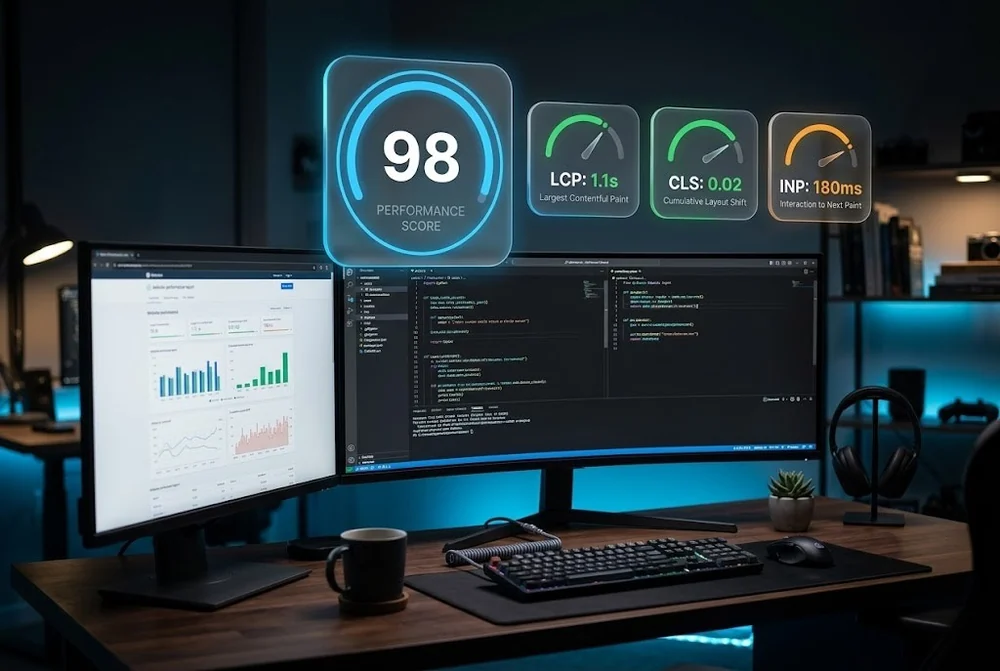
Core Web Vitals are the performance signals Google uses to measure real user experience, and they influence both rankings and conversion. Slow pages lose visitors before they ever see your offer.
This checklist focuses on what actually moves the numbers in 2026, in the order we tackle them on a typical web design project, so you spend effort where it pays off.
To pass Core Web Vitals in 2026, keep Largest Contentful Paint under 2.5 seconds, Cumulative Layout Shift under 0.1, and Interaction to Next Paint under 200 milliseconds. The biggest wins come from optimising the hero image, reserving space for media, and reducing heavy JavaScript on load.
LCP measures how long the largest visible element takes to render, usually the hero image or headline. The fastest wins are here.
Aim for an LCP under 2.5 seconds on a mid range mobile connection, since mobile is where most sites fall short.
You can read the thresholds, or you can see your own numbers measured against them.
Run the free auditCLS measures visual stability. Pages that jump around as they load feel broken and frustrate users on the verge of clicking.
Set explicit width and height on images and video, reserve space for ads and embeds, and load web fonts with a strategy that avoids a late layout jump. A stable page under 0.1 CLS feels calm and trustworthy.
INP replaced First Input Delay and measures how quickly the page responds to taps and clicks across the whole visit. Heavy JavaScript on the main thread is the usual culprit.
Ship less script, defer what is not needed for the first interaction, break long tasks into smaller pieces, and remove unused third party tags. Keep INP under 200 milliseconds so the interface always feels responsive.
Lab tools like Lighthouse are useful for diagnosis, but Google ranks on field data from real visitors collected in the Chrome User Experience Report.
Track field metrics in Search Console, fix the slowest real world pages first, and retest after each change. Performance is not a one time task, it is a habit you build into every release.
Aurora Architects is a wellness studio whose bookings now start online. Speed was a requirement, not a later optimisation pass.
Hitting the thresholds is far easier when performance is a build constraint from the first day than when it is retrofitted afterwards.
Read the Aurora Architects case studyYes. Core Web Vitals are part of Google's page experience signals. They rarely outweigh strong, relevant content, but between two similar pages the faster, more stable one tends to win, and better performance also lifts conversion.
An oversized, unoptimised hero image that is not preloaded. Compressing it, serving a modern format, and preloading it is often enough to move LCP from failing to passing on its own.
First Input Delay only measured the first interaction. INP looks at the responsiveness of interactions throughout the visit, so it is a stricter and more realistic measure of how snappy a site feels.
Sitemaps, structured data, redirects and the settings that keep Google happy as your site grows.

Principles for fast, purposeful micro interactions and motion that never distracts.

The layout, hierarchy and proof decisions that turn cold traffic into qualified leads in seconds.
From first sketch to launch day, we design sites that look unforgettable and convert like they mean it.